Getting Started
Get a working agent running in under a minute - no code required.
Install
Terminal UI - full chat interface with plugin discovery and session persistence:
uv tool install "axio-tui[all]"
Coding assistant - terminal REPL with file/shell tools and streaming output:
uv tool install axio-repl
Available TUI extras: anthropic, openai, codex, local, mcp, guards, all.
From source (development)
git clone https://github.com/mosquito/axio-agent
cd axio-agent
uv sync --all-packages
Prerequisites: Python 3.12+, uv recommended.
Set your API key
export GEMINI_API_KEY="..."       # Google Gemini
export ANTHROPIC_API_KEY="..."    # Anthropic Claude
export OPENAI_API_KEY="..."       # OpenAI
Launch the TUI
axio
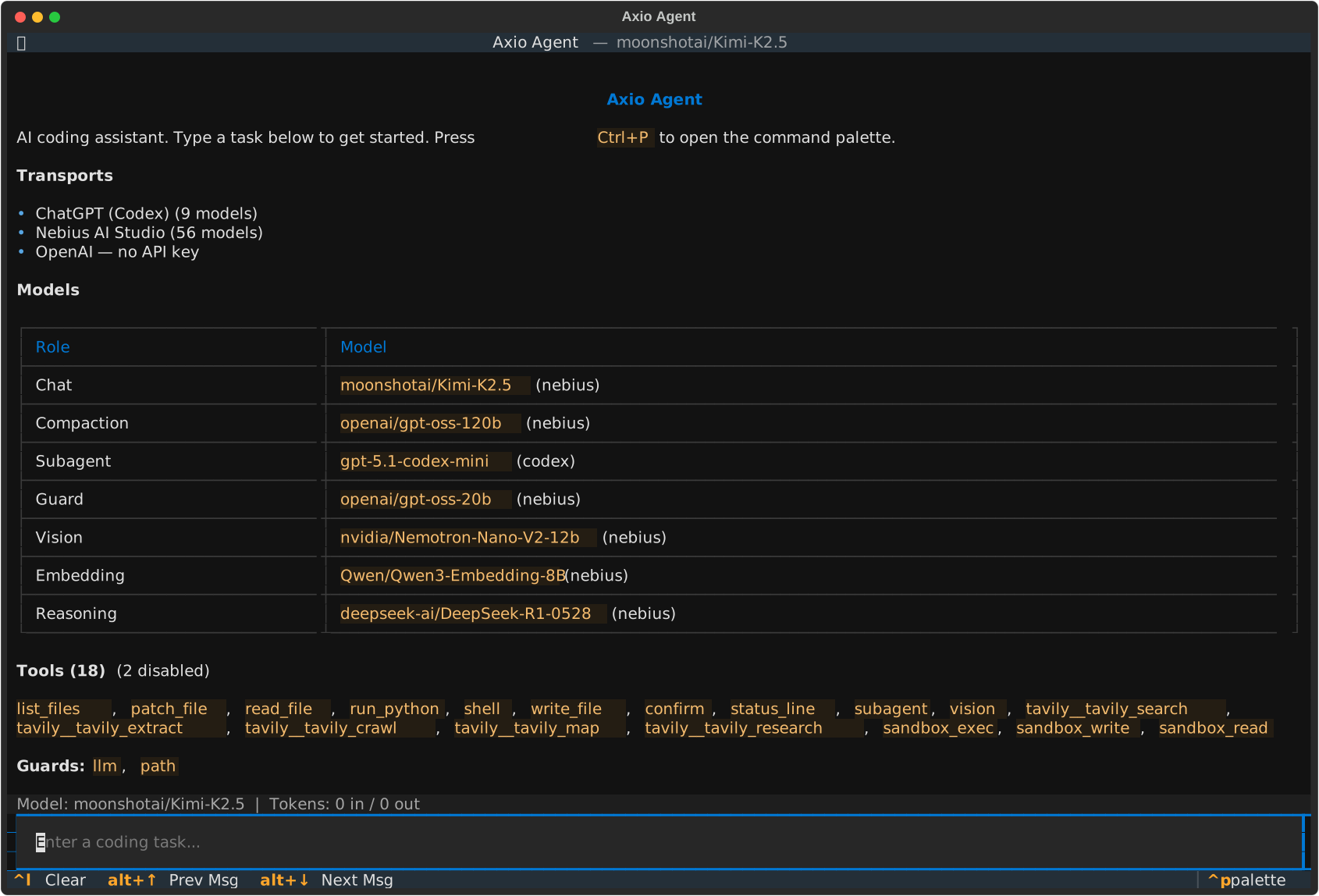
The TUI discovers all installed transports, tools, and guards automatically via the plugin system. Select a model, start a conversation, and watch the agent call tools in real time.
Key features:
Model selection - switch between any discovered transport and model
Session persistence - conversations are stored in SQLite and survive restarts
Tool visibility - every tool call is shown with its input and output
Permission guards - guards prompt for approval before executing sensitive operations
Sub-agents - spawn child agents for parallel tasks
Web mode
Serve the TUI over HTTP for remote access:
axio --serve
Opens on localhost:8086 by default.
Launch the coding assistant
axio-repl
axio-repl auto-detects the transport from your environment variables and
gives the agent file and shell tools. Pass a prompt as an argument for
non-interactive use:
axio-repl "list the files in this project"
axio-repl --transport anthropic --model claude-opus-4-6
See the axio-repl guide for the full command reference.
What’s next?
Write your first agent in code with the core library.
Understand protocols, tools, events, and the plugin system.