TUI Guide
The Axio Terminal User Interface (TUI) built with Textual.
Installation
uv tool install "axio-tui[all]"
Or pick extras: anthropic, openai, codex, local, mcp, guards
Launch
axio
Interface
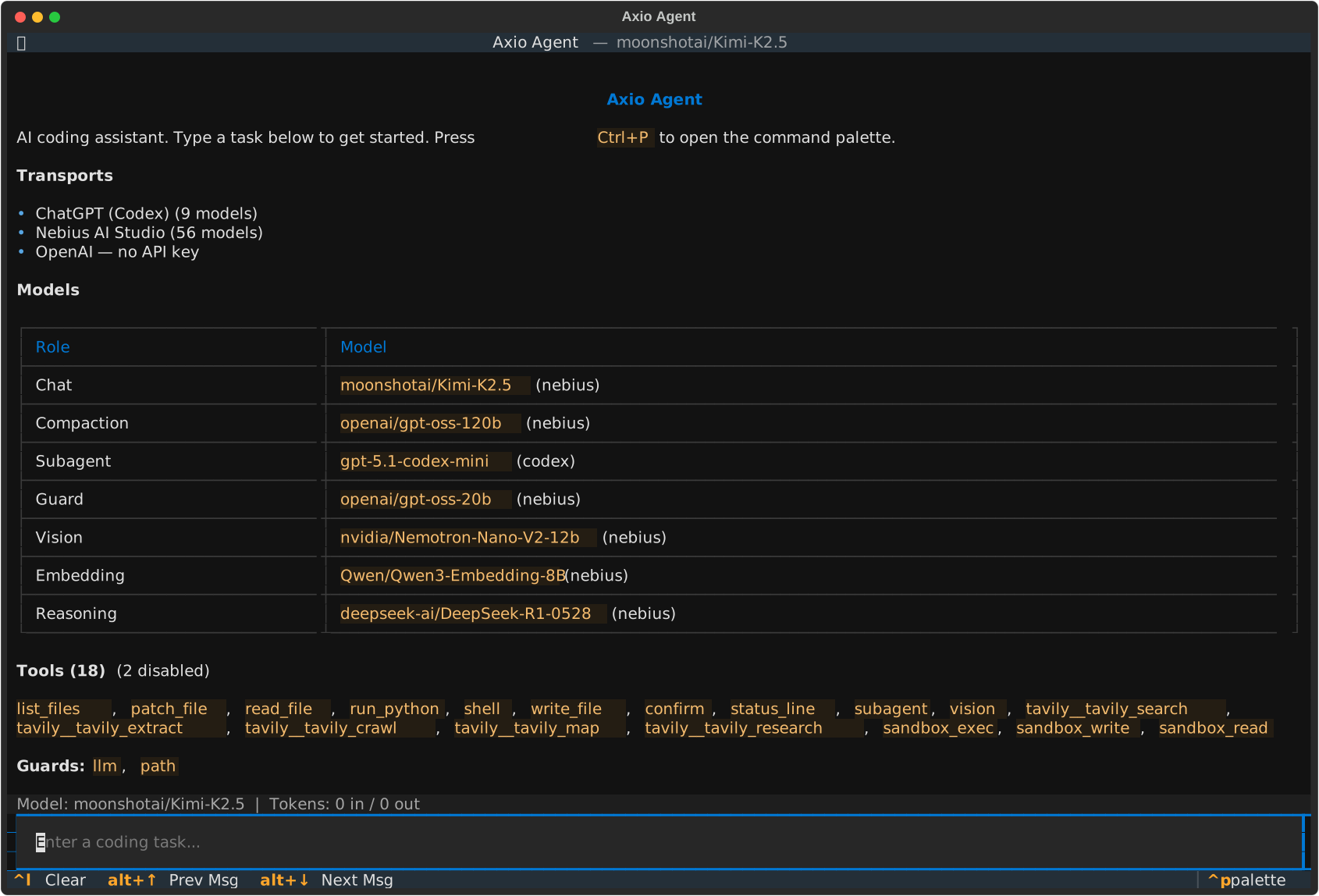
Key Bindings
Key |
Action |
|---|---|
|
Quit |
|
Clear log |
|
Command palette |
|
Stop agent |
|
Toggle Dev Console |
|
Previous message |
|
Next message |
Command Palette
Press Ctrl+P to access:
Search Model
Switch LLM
Clear chat log
Compact Conversation
Download messages
Configure transports (OpenAI, Anthropic, Codex, OpenRouter, Nebius)
Configure Docker Sandbox
Fork Conversation
New Session
Reset conversation
Configure MCP Servers
Manage Plugins
Theme
Screenshot
Quit
Settings
Press system shortcut to configure:
Chat model
Compaction model
Sub-agent model
Guard model
Vision model
Transport API keys
Plugins
Auto-discovers via entry points:
axio.transport- LLM backendsaxio.tools- Toolsaxio.tools.settings- Tools with config UIaxio.guards- Permission guards
Serve over HTTP
textual-serve axio_tui.__main__:app